Employee Scheduling Software

Build schedules that actually work. Then stop thinking about them.

Scheduling shouldn't consume your week. It shouldn't be endless revisions, crossed-out names, and frantic calls when someone can't make their shift. With Focus, you build intelligent schedules once, publish to everyone instantly, and adapt in real-time when things change.

Set requirements first. Ensure skills coverage. Track budgets as you build. Let your team request the shifts they want. Then get back to running your operation.

Get in Touch Today
Thank you! Your submission has been received!
Oops! Something went wrong while submitting the form.

Foundation - Shift Rules & Patterns

The building blocks and repeating patterns that make scheduling effortless.

Shift Rules: Design Once, Use Forever

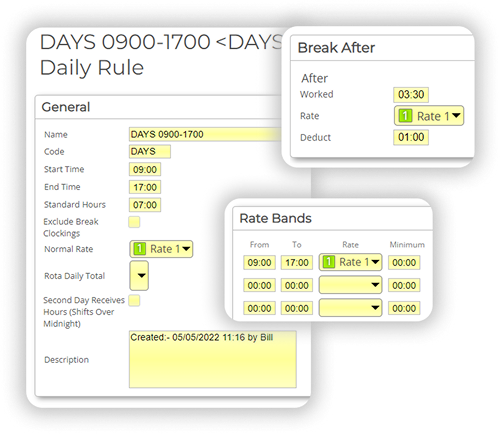
Build your scheduling foundation with reusable shift rules. Define start and end times, lateness policies, break patterns, overtime calculations, and pay rates. Create simple shifts with just start/stop times, or complex rules with every detail specified. These become your building blocks.

Once designed, use them across any rota, any group, any timeframe. Change a rule once, update everywhere it's used.

Work Schedules: Repeating Intelligence

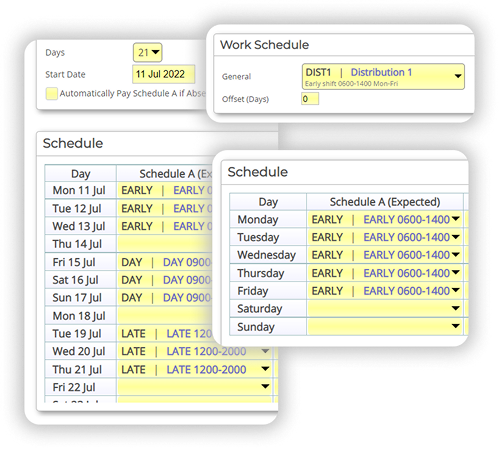
For predictable patterns, work schedules eliminate repetitive manual work. Create patterns that repeat over any timeframe - weekly, monthly, 90 days, 300 days, whatever your operation demands.

Assign the same pattern to everyone, or customise by group or individual employee. Set alternative schedules for day/night rotations, seasonal variations, or any pattern that alternates. Populate entire months or years in seconds by dropping work schedules into the rota.

Need someone to start their pattern on a different day? Use offsets to shift their schedule without creating duplicate patterns.

The Rota: Your Master View

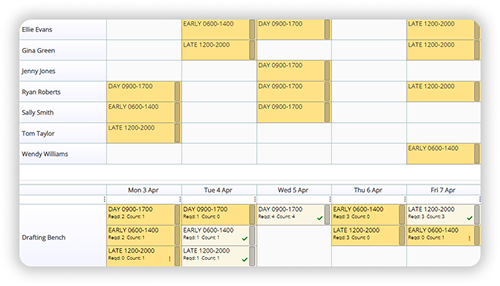
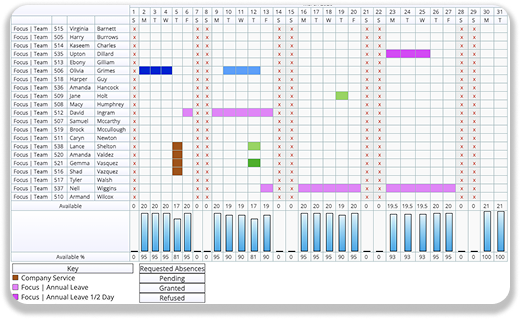
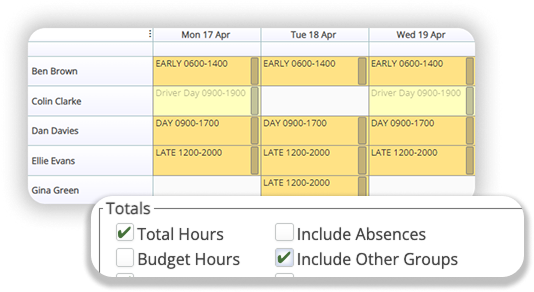
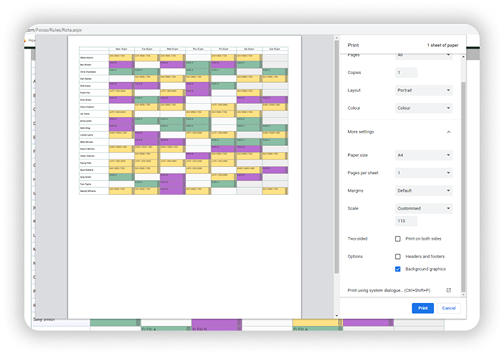
Combine work schedules and shift rules to build comprehensive rotas. Drag and drop individual shifts when you need flexibility. Copy entire weeks or months when patterns repeat. See real-time availability as you build - holidays, sickness, existing commitments from other rotas.

Focus supports multiple rotas for different groups whilst letting you share resources across them. View individual group schedules or multi-group views to track everyone's movements across your entire operation.

Smart Allocation - Getting The Right People In Place

Schedule based on what you need and get the right people with the right skills in the right place for the right cost.

The Drafting Bench: Requirements-First Planning

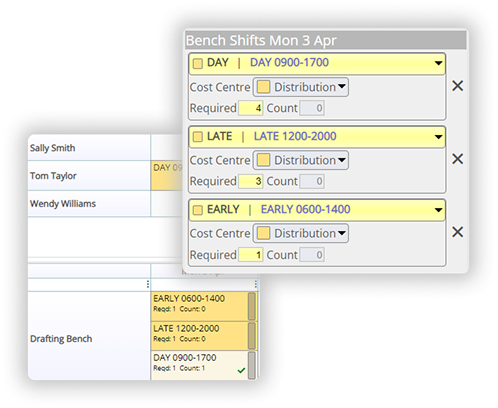
Define what you need before assigning who fills it. The Drafting Bench lets you set requirements for each shift:

- Headcount requirements
- Hour budgets (daily or weekly)
- Financial budgets
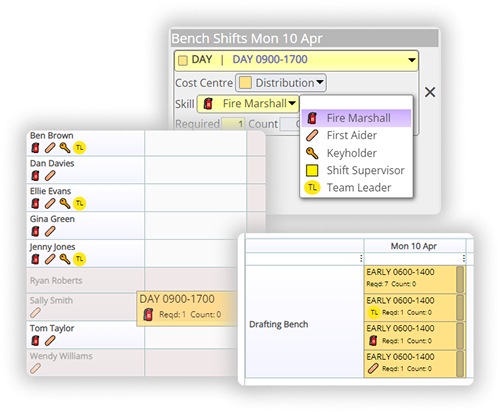
- Skills requirements (first aiders, supervisors, keyholders, specific qualifications)

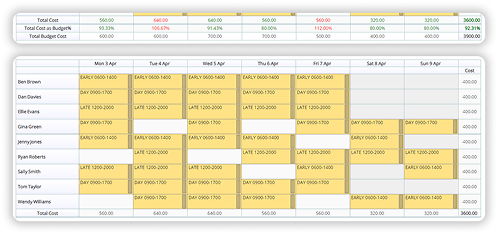
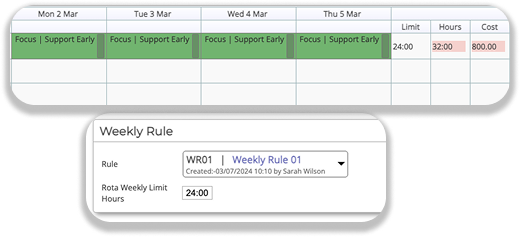
As you build the rota, visual feedback keeps you informed. Green indicators show you're within limits. Warnings appear when you're over budget. Build with confidence that you're meeting requirements and controlling costs simultaneously.

Skills-Based Scheduling

Create custom skills for whatever your organisation needs to operate. First aiders, fire marshals, health and safety representation, supervisors, keyholders, specific qualifications - define them once, assign to relevant team members.

Set requirements in the Drafting Bench: "Every shift needs 2 first aiders and 1 supervisor." Focus ensures compliance as you build. Skills can have expiry dates, preventing you from scheduling staff whose qualifications have lapsed.

The system won't let you publish a rota that doesn't meet your skills requirements. Compliance is guaranteed, not hoped for.

Templates for Every Scenario

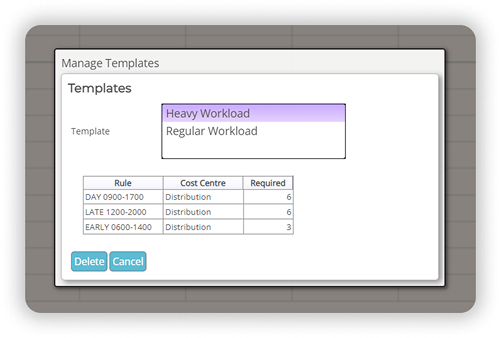
Seasonal demand changes, special events, holiday periods, planned maintenance - create templates for your recurring scenarios. Drop them into the rota when needed, assign appropriately skilled team members, and you're done.

Templates eliminate the need to rebuild common patterns from scratch. Build once, reuse forever.

Collaborative Scheduling - Employee Input

This is some text inside of a div block.

Shift Requests: Let Your Team Have A Say

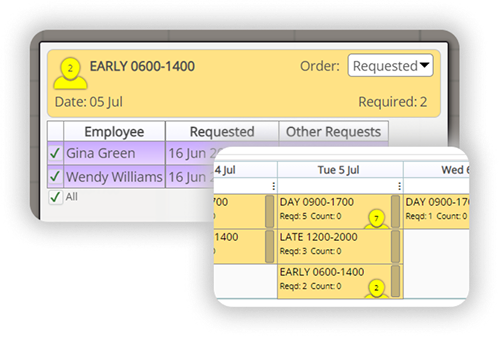
Build your rota requirements and share available shifts with your team through the Self Service app. Employees see what's available and request the shifts they want to work.

You see all requests in the order they were received. Allocate shifts fairly - first come, first served, or manual selection based on your needs. Remove the politics and uncertainty from shift allocation. Those who want the shifts and are available get them.

The system shows you conflicts before they happen - employees who've already requested other shifts that day, or who have existing commitments. Make informed decisions with complete visibility.

Availability Visibility

Build rotas with real-time information at your fingertips:

- Holiday and absence bookings
- Existing shifts (including from other rotas)
- Hour limits based on contract or age restrictions
- General unavailability marked by employees
- Skills and qualification status

No more accidentally scheduling people who can't work. No more discovering conflicts after you've published.

Budgets & Cost Control

This is some text inside of a div block.

Stay Within Budget Whilst You Build

Set hour limits or financial targets - daily totals, weekly budgets, or varying amounts by day of the week. Focus tracks everything in real-time as you assign shifts:

- Total scheduled hours vs. hour budget
- Projected wage costs vs. financial target
- Live warnings before you exceed limits

Budgets can vary by group, allowing different departments different constraints. Adjust budgets as circumstances change - seasonal demand, special projects, staffing changes.

Build your rota with cost control built in, not bolted on afterwards.

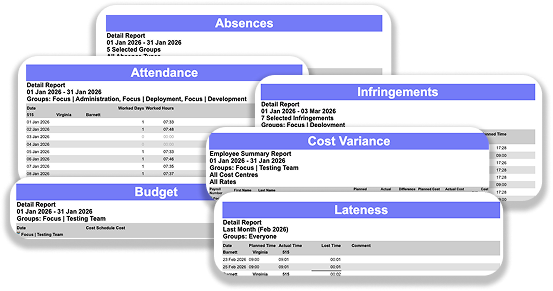
Cost Variance Reporting

After shifts are worked, the cost variance report compares what you planned vs. what actually happened:

- Scheduled hours vs. actual hours worked
- Projected costs vs. actual wage costs
- Variance by department, by period, by any dimension you need

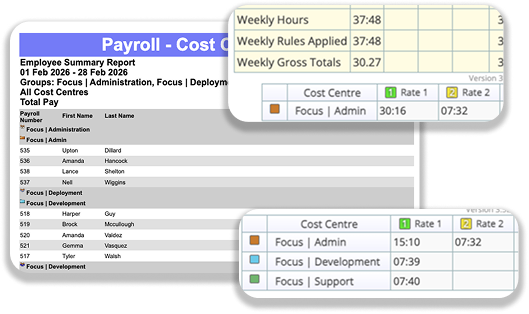
Identify patterns. Understand where overtime occurs. Adjust future rotas based on real data. Continuously improve your scheduling efficiency.

Complex Scenarios Made Simple

Focus handles the scheduling challenges that trip up simpler systems:

Split Shifts

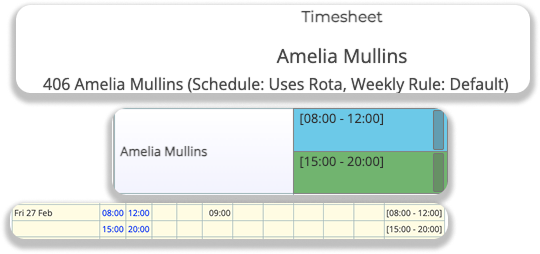
Schedule multiple shifts per day per employee. When they clock in and out, Focus automatically assigns time to the correct shift rules. No manual sorting, no confusion about which shift applies.

Multi-Rota Management

Different groups maintain separate rotas. Share employees across rotas when needed. View individual group schedules for focused planning, or multi-group views to track everyone's movements across your operation.

Hour Limits

Automatically enforce weekly hour limits based on age, contract type, or custom rules. Focus prevents scheduling anyone beyond their permitted hours. Compliance is automatic.

Distribution - Living Documents

This is some text inside of a div block.

Self Service App: Schedules In Everyone's Pocket

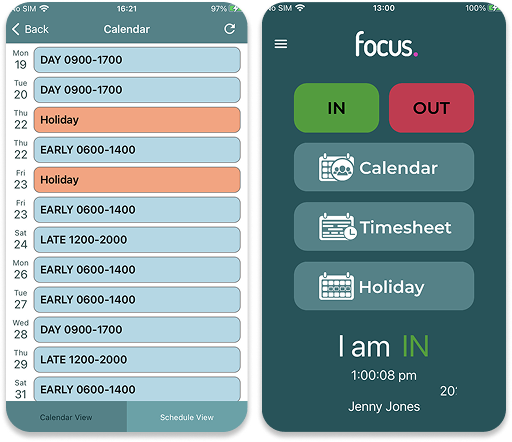
No more printed rotas with scribbled changes. No more email attachments with "FINAL v3" in the filename. Publish your rota to the Self Service app:

- Everyone receives their schedule instantly
- View weeks or months ahead
- Request available shifts  
- Request time off with visibility of team coverage
- See personal hour totals and budget status

The schedule is always current, always accessible, always in their pocket.

Push Notifications For Changes

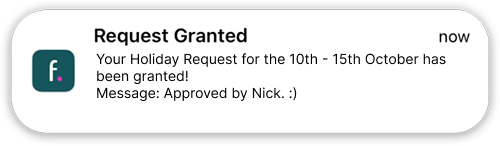
Schedule changed at the last minute? Push notification sent immediately. Add custom messages to explain adjustments - "Covering for Sarah's sickness" or "Extra shift for big delivery."

Everyone stays informed without phone calls, without checking emails, without wondering if they've seen the latest version.

Traditional Distribution Still Available

Print the rota if you need physical copies. Email it to team members who want visibility. Focus supports traditional distribution methods.

But the app is smarter. It's always current. It's in everyone's pocket. It's the way scheduling should work.

Reporting & Insights

This is some text inside of a div block.

Powerful reporting

Powerful reporting gives you the data to make informed decisions:

- Projected vs. actual hours analysis
- Cost variance tracking
- Budget compliance verification
- Skills coverage reports
- Absence impact analysis

Email reports automatically to stakeholders on any schedule. Export to Excel or PDF for further analysis. Share insights with those who need them, when they need them.

Why This Matters

For Schedulers...

Save hours every week. Build rotas in minutes instead of hours. Templates and work schedules eliminate repetitive work. Budget tracking and skills requirements give you confidence that everything's covered. Focus on exceptions, not routine tasks.

For Employees...

Request the shifts you want. See your schedule immediately when it's published. Changes pushed to your phone, no more checking notice boards. Fair, transparent allocation - first to request gets priority. See team availability before requesting time off.

For Operations...

Skills compliance guaranteed through system enforcement, not manual checking. Real-time budget tracking prevents cost overruns. Quick adaptation when circumstances change - illness, demand spikes, unexpected absence. Multi-location resource sharing optimises your workforce across your entire operation.
Focus also handles flexible shifts with manually-entered times, absence rules that prevent understaffing, auto-approval for certain leave requests, and dozens of other requirements. If your scheduling needs it, Focus can handle it.

Scheduling that thinks ahead, so you don't have to.

Ready to see how Focus transforms your scheduling process?
Get a Demo